HTTP Cycle
Web Development Encyclopedia A visual guide to the journey from a browser request to a rendered HTML page.
- Topic
- Web Architecture
- Estimated Reading Time
- Ten minutes
- Last Updated
Overview
In an ASP.NET Core MVC application, the browser and server exchange HTTP messages while routing, a controller action, and a view work together to produce the requested page. This process is built on a strict separation of responsibilities. The cycle begins with the web browser acting as the client, sending an HTTP request across the network. On the server side, the Routing engine acts as a switchboard, reading the requested URL and directing it to the correct Controller. The Controller serves as the manager of the request. It contains the logic to decide what should happen next, but it deliberately knows nothing about HTML or visual design. Instead, the Controller selects a View—a dedicated template file—to handle all the presentation details. The View generates the final HTML structure, which the server then packages into an HTTP response and sends back to the browser to be rendered on the screen.
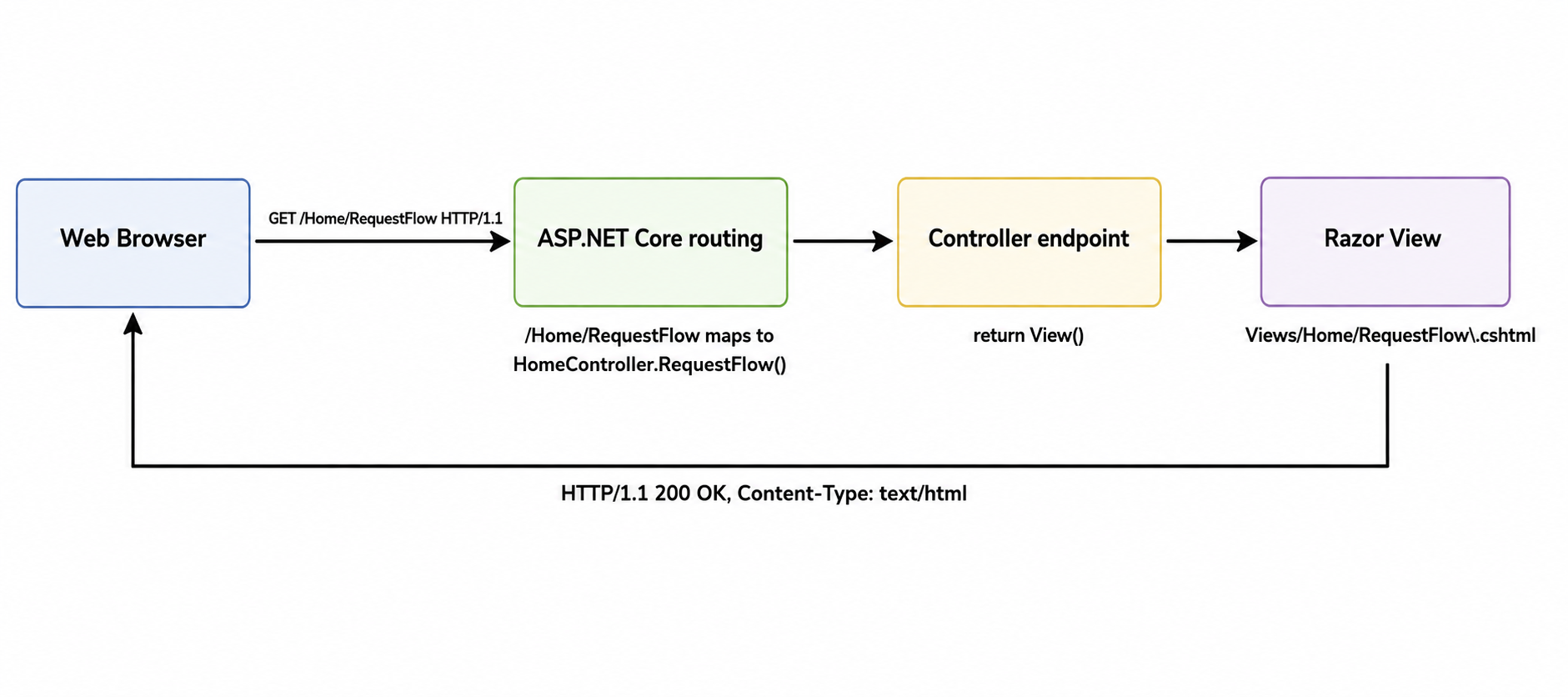
The Browser Sends an HTTP Request
When a user navigates to a specific URL, the web browser initiates the cycle by sending an HTTP GET request across the network. This request asks the server to retrieve and return the resources associated with that specific web address.
ASP.NET Core Selects an Endpoint
Once the server receives the browser's request, the ASP.NET Core routing engine takes over. It analyzes the incoming URL path and maps it to a corresponding Controller and action method, ensuring the request is handed off to the exact piece of code responsible for that page.
The Controller Returns a View
The designated Controller endpoint then executes its logic. In a basic application like this walking skeleton, the controller does not process databases or complex data; it simply calls a command to return its associated Razor View file, which contains the actual HTML structure for the page.
The Server Returns HTML
The server takes the content from the Razor View, packages it into an HTTP response with a "200 OK" status code, and sends it back to the web browser. The browser then reads this HTML document and constructs the visual page on the screen.